How to set up Python as a CGI module in Apache on Arch Linux (Manjaro, BlackArch)
Posted by Alex On May 21, 2023
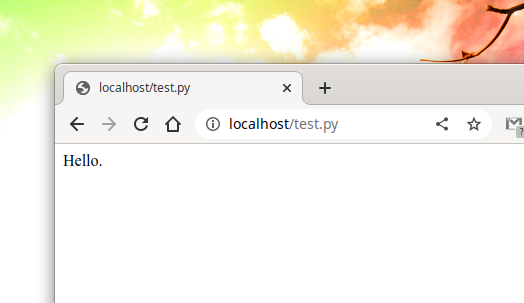
Setting up Python CGI for a single directory Create a directory /srv/http/cgi-bin/ - this is where the Python scripts will be located: sudo mkdir /srv/http/cgi-bin/ Open the /etc/httpd/conf/httpd.conf file – the web server configuration file: sudo gedit /etc/httpd/conf/httpd.conf Find a group of lines: <Directory "/srv/http/cgi-bin"> AllowOverride None Options None Require all granted </Directory> And replace […]
How to set up Python as a CGI module in Apache on Debian (Ubuntu, Linux Mint)
Posted by Alex On May 21, 2023
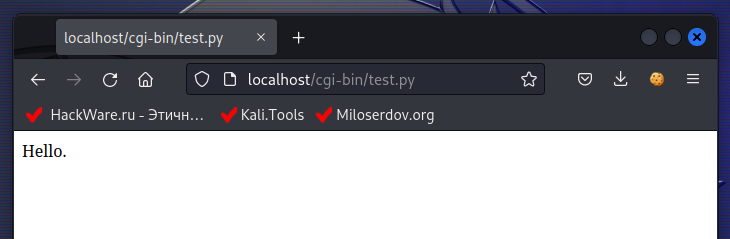
Setting up Python CGI for a single directory Run the command to enable the CGI module: sudo a2enmod cgi Restart the web server for the changes to take effect: sudo systemctl restart apache2 Create file /usr/lib/cgi-bin/test.py: sudo gedit /usr/lib/cgi-bin/test.py Copy the following content to this file: #!/usr/bin/python3 print ("Content-type: text/html") print ("") print ("") print […]

How to find out when Linux was installed
Posted by Alex On April 21, 2023
This article will look at several ways to find out the date of installation of the Linux operating system. But let's start by thinking about what is considered the date of installation of the OS? What is considered the date of installation of Linux It would seem that the question and the answer to it […]

How to translate Linux with Cinnamon into my language
Posted by Alex On April 10, 2023
Where to download translations for Cinnamon When using Linux with the Cinnamon desktop, you may have noticed that the labels in the OS are very poorly translated into other languages – almost everything is in English, even if you selected a different Linux language during installation. Although Cinnamon is indeed not fully translated into some […]

How to run multiple instances of an application from the Panel in Cinnamon
Posted by Alex On April 10, 2023
Why can't an app pinned to the Panel be launched multiple times? You can add any application to the Panel by dragging it from the list of applications that opens with the “Menu” (“Start”) button. You can also pin the application icon to the Panel by right-clicking on the open application icon and selecting the […]

How to set up automatic login in Linux with GDM
Posted by Alex On April 9, 2023
First, make sure you are using the GDM display manager: systemctl status display-manager Line gdm.service - GNOME Display Manager confirms that this OS uses GDM. Logging into Linux with GDM (style and background images may vary on other Linux distributions): To enable automatic login with GDM, open the /etc/gdm3/daemon.conf file: sudo gedit /etc/gdm3/daemon.conf Find the […]

How to set up automatic login in Linux with LightDM
Posted by Alex On April 9, 2023
First, make sure you are using the LightDM display manager: systemctl status display-manager Line lightdm.service - Light Display Manager confirms that this OS uses LightDM. Logging into Linux with LightDM (style and background images may vary on other Linux distributions): To automatically login to LightDM, open the configuration text file /etc/lightdm/lightdm.conf: sudo gedit /etc/lightdm/lightdm.conf Find […]

How to enable automatic login in Linux (GDM, LightDM, SDDM)
Posted by Alex On April 9, 2023
Table of contents 1. How to find out which display manager is being used 2. Automatic login to GDM 3. Automatic login to LightDM 4. How to set up automatic login in Linux with SDDM When booting into Linux, it first starts the Display Manager, which asks us to enter a username and password, and if […]

How to set up automatic login in Linux with SDDM
Posted by Alex On April 9, 2023
SDDM is an X11 and Wayland display manager based on QML. In my Linux installations, the SDDM display manager performed better than GDM, LightDM. So if you're having trouble with other display managers, try SDDM. Make sure that the OS uses SDDM: systemctl status display-manager The line sddm.service - Simple Desktop Display Manager confirms that […]

PHP Warning: PHP Startup: imap: Unable to initialize module (SOLVED). How to install the imap module for PHP on Arch Linux
Posted by Alex On April 8, 2023
When running a PHP script in Arch Linux or derivative distributions (Manjaro, BlackArch) on the command line: php 8.php You may see the following warning from PHP: PHP Warning: PHP Startup: imap: Unable to initialize module Module compiled with module API=20210902 PHP compiled with module API=20220829 These options need to match in Unknown on line […]