Tag: hardware

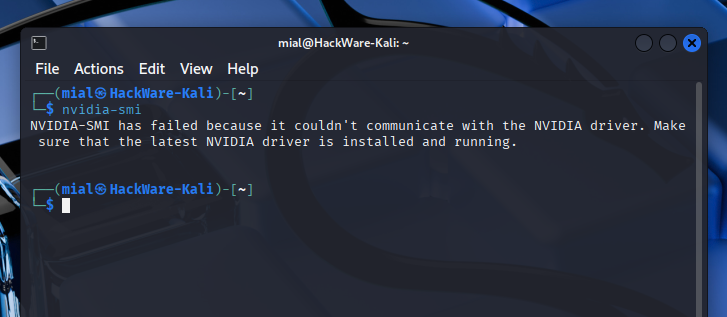
Why GeForce RTX 50 series graphics card doesn't work in Linux (SOLVED)

Contents Blackwell architecture graphics cards in Linux Signs that the NVIDIA graphics card does not work in Linux Why NVIDIA GeForce RTX 5090, 5080, 5070, 5060 does not work in Linux How to install the NVIDIA GeForce RTX 5090, 5080, 5070, 5060 driver on Linux The NVIDIA Open driver is installed, but NVIDIA GeForce RTX 5090, 5080, 5070, 5060 does...

What is NVIDIA Open and should Linux users switch to the new driver

Contents 1. What is NVIDIA Open 2. The main difference between NVIDIA Open and NVIDIA Proprietary 3. How to install NVIDIA Open 3.1 How to install NVIDIA Open on Arch Linux (Manjaro, BlackArch) 3.2 How to install NVIDIA Open on Debian, Kali Linux, Ubuntu, Linux Mint 4. How to check if you are using NVIDIA Open or NVIDIA Proprietary 1....

How to enable 10-bit color depth on Linux (and whether to enable 30-bit color)

Table of contents 1. Does my monitor (TV) use 10-bit color depth 2. Why enable 10-bit color support on Linux 3. How 10-bit color support is implemented in Windows 4. How 10-bit color support is implemented in Linux 5. How to know if my monitor (TV) supports 10-bit color depth 6. How to determine the number of colors (bits per...

How to fix Linux booting to black screen (SOLVED)

Pretty harmless video card settings (for example, installing drivers, choosing a video card for video output on a laptop, enabling 10-bit color depth) can lead to a serious problem for beginners: the Linux operating system boots into a black screen. Since this problem cannot be solved by the usual methods in the graphical interface, novice Linux users often come to...

The complete guide to HDR: how to enable, how to set up, how to watch HDR movies and YouTube, troubleshooting HDR problems in Windows

Table of contents 1. What is HDR for? 2. How to enable HDR on Windows. What is needed for HDR 3. Step by step guide to enable HDR in Windows 4. Why does everything look gray and dark when HDR is on? 5. How to check if HDR is being used 6. How to enable HDR on YouTube and Netflix...

Is HDMI or DisplayPort better for the ultimate picture, sound, HDR, FreeSync, G-Sync and more

Key takeaway: HDMI and DisplayPort have multiple versions that support different data rates. Even on the same device, HDMI and DisplayPort can support different speeds, so if you're not satisfied with HDMI performance, then try DisplayPort. Usually, the DisplayPort port supports higher speed. Better HDMI or DisplayPort for HDR and good picture The latest versions of HDMI or DisplayPort support...

What you need to pay attention to when buying a TV (monitor) for HDR

Bottom Line: Just because a TV or monitor says HDR in its specs, it doesn't automatically mean you'll get the most out of this technology. If the TV (monitor) does not support sufficient brightness or color depth, then you will hardly notice the difference between HDR and SDR. HDR looks different for different manufacturers HDR has not only several formats,...

How to enable or disable the Power LED on a Samsung monitor (using LS34A65* as an example)

In this post, we will look at how to enable, disable and configure the Power LED indicator on Samsung monitors. As an example, I will use the SAMSUNG ViewFinity S6 LS34A650UBEXXT monitor. Do LS34A65* monitors have a Power LED indicator Yes, there is a Power LED. There is a power indicator at the bottom of the monitor next to the...

What are PC and AV modes in monitor settings. Better choose PC or AV for monitor

In short, in PC mode, the signal is subjected to minimal signal processing, which preserves natural colors and faster response times. In AV mode, the picture is processed to be richer and more beautiful, as well as to fill the entire monitor screen, which in turn increases the monitor's response time. That is, for study and work, especially if you...

Why does the screen brightness of Samsung monitors randomly switch. How to get the brightest and most colorful picture on a Samsung monitor

Modern high-end monitors have an ambient light sensor and a function to automatically adjust the brightness of the screen depending on the brightness of the light near the monitor. A similar automatic brightness control is available on high-end mobile phones: in bright sunlight, the screen is as bright as possible, thanks to which you can use the phone; and in...
Loading...
X