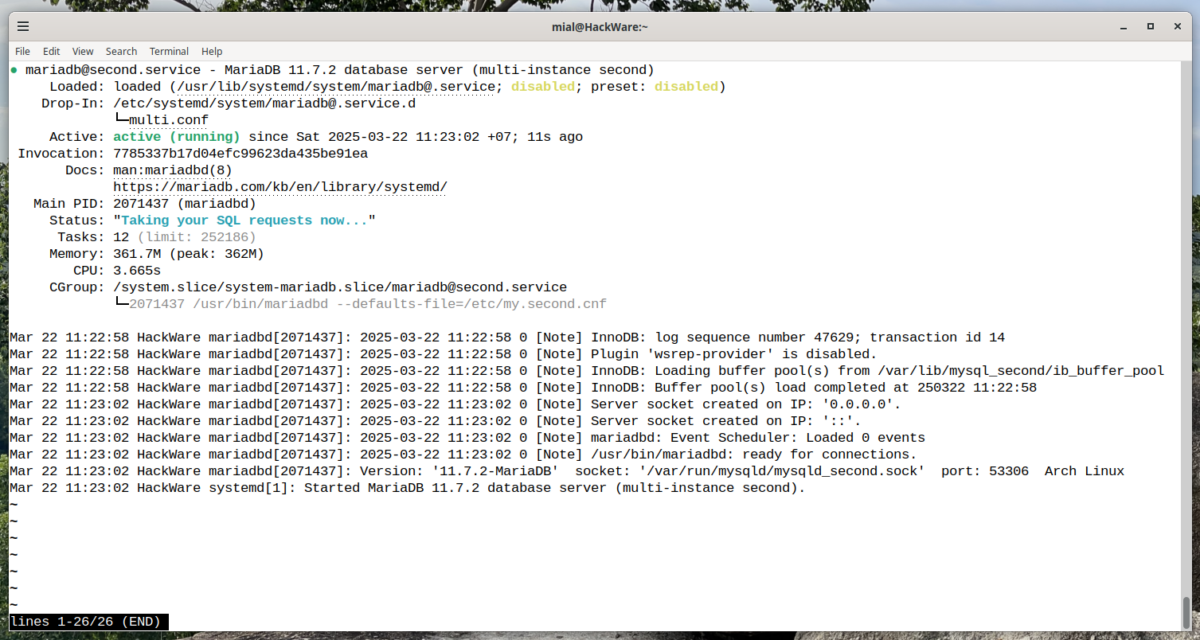
How to run multiple MySQL/MariaDB server instances on one machine
April 3, 2025
Contents
1. Why you might want to run multiple MySQL or MariaDB servers on one computer
2. What you need to run multiple MySQL or MariaDB servers on one computer
3. Differences between MySQL and MariaDB when starting a second DBMS instance
4. Correcting the mariadb@.service file
5. How to configure a second MySQL or MariaDB instance
5.1 How to configure a second MySQL or MariaDB instance in the /etc/my.cnf file
5.2 How to configure a second MySQL or MariaDB instance in separate files
8. Starting and managing the second MySQL / MariaDB instance service
9. How to connect to the second MySQL/MariaDB instance
1. Why you might want to run multiple MySQL or MariaDB servers on one computer
Running a second MySQL/MariaDB instance can be one of the ways to speed up databases by distributing these databases across different disks – as a result, queries will be distributed across different disks. This option may be necessary for heavy database loads – for large databases and a large number of simultaneous queries, when the bottleneck is the speed of reading and writing to the disk.
Also, dividing databases across different MySQL/MariaDB instances may be necessary if the /var/lib/mysql/ directory (where all databases are stored) does not fit on one disk.
An interesting use case for a second MySQL/MariaDB instance: temporary copying of large databases to a second MySQL or MariaDB server instance, whose databases are located in tmpfs – a RAM file system. This will allow you to process data without loading the disk. The implementation mechanism will be shown in detail in the next article.
See also: In-RAM filesystem to speed up file handling and reduce disk load (tmpfs)
In any case, launching a second instance in MySQL/MariaDB to optimize the load is an extreme option and it is recommended to consider the following methods for reducing the load and speeding up databases:
- Optimization of scripts and database queries. For example, instead of multiple SQL queries, it is much more productive to make one query to the database with the receipt of all the values of the column you are interested in and then subsequent processing of the data in RAM. For example: a PHP script gets values from the database with one query and then places the received values in an array for subsequent processing.
- Switching from HDD to SSD, and from SSD to M.2.
- Switching to an array of disks – this should be used with caution, since there is a risk of losing all data if the power goes out or one of the disks fails.
2. What you need to run multiple MySQL or MariaDB servers on one computer
- Create a configuration file for the second DBMS instance
- Create the necessary directories for the second DBMS instance
- Initiate the databases of the second DBMS instance (this and the previous two steps only need to be done once)
- Start the services of the second DBMS instance and (optionally) add it to startup
3. Differences between MySQL and MariaDB when starting a second DBMS instance
In general, starting additional instances of the MySQL and MariaDB server process is very similar. In this instruction, unless otherwise specified, all subsequent actions apply to MySQL and MariaDB.
The configuration steps that differ for MySQL and MariaDB will be described separately for each of these DBMS.
4. Correcting the mariadb@.service file
The mariadb@.service file contains a line that will prevent the service from starting. To fix this, open this file:
sudo gedit /usr/lib/systemd/system/mariadb@.service
Find and delete (or comment out) the following line:
ExecStartPre=/usr/bin/mysql_install_db $MYSQLD_MULTI_INSTANCE

Note: you don't need to worry about losing any important functionality, as this line is clearly in this file by mistake – MariaDB does not use executables that have “mysql” in their name.
Save and close this file.
To apply the changes, run the following command:
sudo systemctl daemon-reload
5. How to configure a second MySQL or MariaDB instance
The settings for the second MySQL / MariaDB instance can be located:
- in the main configuration file /etc/my.cnf
- in a configuration file with a name like /etc/my.SECOND_INSTANCE_NAME.cnf (where SECOND_INSTANCE_NAME is the name of the second instance you chose)
Both configuration options will be shown below – you cannot use both of them: you will need to choose only one option.
5.1 How to configure a second MySQL or MariaDB instance in the /etc/my.cnf file
By default, the configuration file is located at /etc/my.cnf.
We need to create a separate block of directives with the mandatory indication:
- socket (socket location)
- port (the port the DBMS listens on)
- datadir (directory where databases are stored)
All these settings must be different from the settings of the first DBMS instance, that is, they must not conflict.
If desired, you can specify other user settings for the DBMS, but the ones listed above are mandatory.
Open the /etc/my.cnf file and add lines of the following type (where SECOND_INSTANCE_NAME is the name of the second instance you selected):
[mysql.SECOND_INSTANCE_NAME]
socket = /PATH/TO/mysqld.sock
port = PORT
datadir = /PATH/TO/DATABASES
You can choose any socket file (the default is /var/run/mysqld/mysqld.sock, which is already occupied).
You can choose any free port on your system (the default is 3306, which is already occupied).
If you are creating a second DBMS instance to reduce the load, it is recommended to specify a path on another disk as a directory for storing databases (the default is /data/mysql/mysql, which is already occupied).
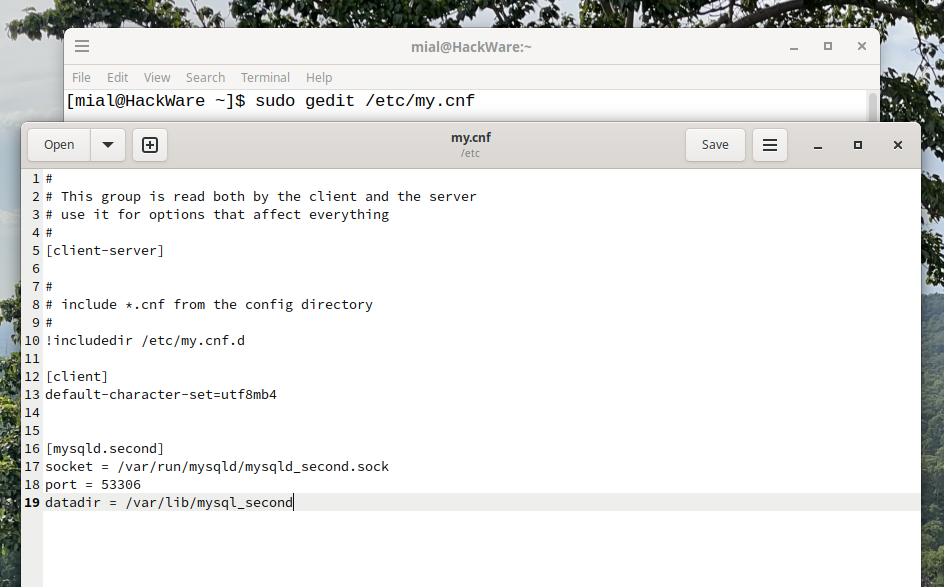
Example of my settings (I chose the name “second” for the second MariaDB instance):
[mysqld.second]
socket = /var/run/mysqld/mysqld_second.sock
port = 53306
datadir = /var/lib/mysql_second
You can add the following settings if you want:
bind-address = 127.0.0.1
max_allowed_packet = 1000M
Save and close this file.
5.2 How to configure a second MySQL or MariaDB instance in separate files
WARNING: the steps in this section will allow you to save MySQL or MariaDB configurations in separate files, but they BREAK the operation of the second MySQL or MariaDB instance settings in /etc/my.cnf (although they do not affect settings in the /etc/my.cnf file that are not related to multiple MySQL or MariaDB instances).
Create a file /etc/systemd/system/mariadb@.service.d/multi.conf:
sudo gedit /etc/systemd/system/mariadb@.service.d/multi.conf
And add the following lines there:
[Unit]
ConditionPathExists=/etc/my.%I.cnf

[Service]
Environment='MYSQLD_MULTI_INSTANCE=--defaults-file=/etc/my.%I.cnf'
Save and close this file.
To apply the changes, run the following command:
sudo systemctl daemon-reload
The configuration of the second instance of the DBMS must be saved in a file with a name like (where SECOND_INSTANCE_NAME is the name you choose):
/etc/my.SECOND_INSTANCE_NAME.cnf
The name you choose for the second instance of the MySQL or MariaDB service will be used to start this service later.
For example, I chose the name “second”, then the file with the settings has the following path:
/etc/my.second.cnf
Open this file and write the following settings to it:
[mysql]
socket = /PATH/TO/mysqld.sock
port = PORT
datadir = /PATH/TO/DATABASES
So, I create a new configuration file:
sudo gedit /etc/my.second.cnf
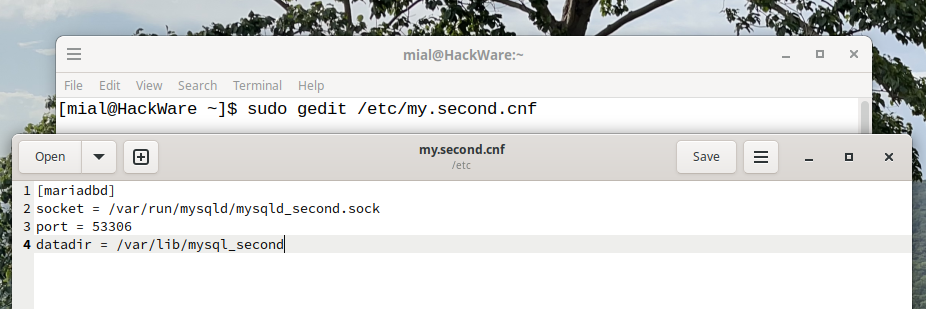
Sample of my configuration file /etc/my.second.cnf:
[mysql]
socket = /var/run/mysqld/mysqld_second.sock
port = 53306
datadir = /var/lib/mysql_second
If you want, you can add the following settings:
bind-address = 127.0.0.1
max_allowed_packet = 1000M
6. Creating and configuring permissions for the directory with the databases of the second MySQL / MariaDB instance
Create the directory that you specified in the “datadir” directive and configure its owner:
sudo mkdir /var/lib/mysql_second
sudo chown -R mysql:mysql /var/lib/mysql_second
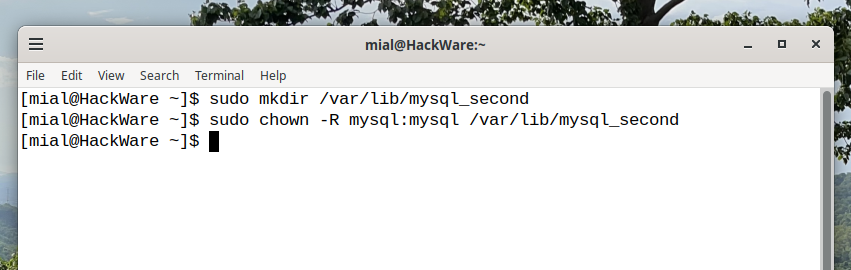
Note that you need to replace the line “/var/lib/mysql_second/” with the path you have chosen for the databases of the second DBMS instance.
Note: do not be confused by the user name and group “mysql” even if you are configuring MariaDB – this part of the setup is the same for MySQL and MariaDB. That is, MariaDB also uses a user named “mysql”.
7. Database initialization
To create the technical databases required for the DBMS to work, run one of the following commands.
Please note that you need to replace the string “/var/lib/mysql_second/” with the path you have chosen for the second instance of the DBMS databases.
For MySQL, run the command:
sudo mysql_install_db --user=mysql --datadir=/var/lib/mysql_second/
For MariaDB, run the command:
sudo mariadb-install-db --user=mysql --datadir=/var/lib/mysql_second/

8. Starting and managing the second MySQL / MariaDB instance service
Attention: in all subsequent commands, the string “second” must be replaced with the name you have chosen for the second instance of the DBMS.
Starting and checking the status of the DBMS server
For MySQL, run the commands:
sudo systemctl start mysqld@second.service
systemctl status mysqld@second.service
Note: in different Linux distributions, the service may be called “mysqld” or “mysql”. If the previous commands complained about the absence of the specified service, then try the following option:
sudo systemctl start mysql@second.service
systemctl status mysql@second.service
For MariaDB, run the commands:
sudo systemctl start mariadb@second.service
systemctl status mariadb@second.service

Adding the second MySQL / MariaDB instance to startup:
For MySQL, run the command:
sudo systemctl enable mysqld@second.service
For MariaDB, run the command:
sudo systemctl enable mariadb@second.service
Stopping and removing the second MySQL / MariaDB instance from startup:
For MySQL, run the commands:
sudo systemctl disable mariadb@second.service
sudo systemctl stop mariadb@second.service
For MariaDB, run the commands:
sudo systemctl disable mariadb@second.service
sudo systemctl stop mariadb@second.service
9. How to connect to the second MySQL/MariaDB instance
To connect to a second MySQL/MariaDB instance on a non-standard port, you can use the -P option with a port, or the -S option with a socket. The following two commands will produce the same result:
sudo mariadb -u root -P 53306
sudo mariadb -u root -S /var/run/mysqld/mysqld_second.sock

Note that by default the root password is not set and you need to connect using sudo commands.
Related articles:
- What do dots mean in MySQL and MariaDB SQL queries. How to refer from a table to a column in another table (100%)
- How to transfer a database between DBMS servers without creating a database dump file (MySQL and MariaDB) (100%)
- PHP Fatal error: Uncaught mysqli_sql_exception: Too many connections in (SOLVED) (100%)
- How to list all current connections to MySQL and MariaDB databases (100%)
- Should I close MySQL connections with $mysqli->close() in PHP scripts. Should I use $result->free() (100%)
- How to change the VeraCrypt interface language in Linux (RANDOM - 50%)
