
How to find the third root in Linux. How to extract a root of any degree in Linux
August 17, 2024
Table of contents
1. How to extract a cube root in Linux
2. How to find a cube root in the Linux calculator (GNOME Scientific calculator)
3. How to find a root of any degree in the Linux calculator (GNOME Scientific calculator)
4. How to extract a root of any degree in the command line
4.1 Extracting cube roots using gnome-calculator
4.2 Extracting roots of any degree using awk
4.3 Extracting roots of any degree with PHP
4.4 Extracting roots of any degree with Python
1. How to extract a cube root in Linux
If you need to find the root of the third, fourth, fifth or any other degree (index) of a number (radicand), then you may encounter a problem that various Linux calculators do not have an operation for extracting a root of any power except for a square root.
Let's look at the GNOME Scientific calculator interface (Advanced mode):

We see many different mathematical operations and advanced functions, but there is no function for extracting a root of the third power.
Moreover, if you try to install other calculators in Linux, you will find that they also lack the operation of extracting a cube root. Moreover, they do not have the operation of extracting roots of the fourth, fifth, sixth and other powers.
Let's remember the school course of mathematics – the nth root of x is equal to x1/n
That is, for the cube root the following is true:
∛x = x1/3
For the fourth root
∜ = x1/4
And so on – I think you got the gist (or remembered).
2. How to find a cube root in the Linux calculator (GNOME Scientific calculator)
Launch the calculator, this can be done in the menu or in the command line:
gnome-calculator
If you do not have a calculator, then install the gnome-calculator package.
1. Enter the number whose cube root you want to find (radicand).
2. Then press the xy button.

3. Next, write (1/3), that is, in brackets you need to write 1/3.
4. Press the “=” button (equal) or the Enter key.

3. How to find a root of any degree in the Linux calculator (GNOME Scientific calculator)
1. Enter the number whose root of any degree you want to find (radicand).
2. Then press the xy button.
3. Next, write (1/n), that is, in brackets you need to write 1/n, where n is the degree of the root.
4. Press the “=” button (equal) or the Enter key.
A short video of extracting the sixth root, which demonstrates the application of the described algorithm:
4. How to extract a root of any degree in the command line
As you already understood, you cannot find a cube root or a root of any other degree simply by pressing buttons – you need to enter from the keyboard. And if this is so, then it may turn out that it is more convenient to do this in the command line.
4.1 Extracting cube roots using gnome-calculator
The gnome-calculator command can be used to launch the familiar GNOME Scientific calculator. If you specify the -e option, you can enter the expression you want to calculate in advance.
For example, to find the cube root of 592704, run the following command:
gnome-calculator -e '592704^(1/3)'
The calculator will be launched with the entered expression – you only need to press the “=” (equal) button or the Enter key.
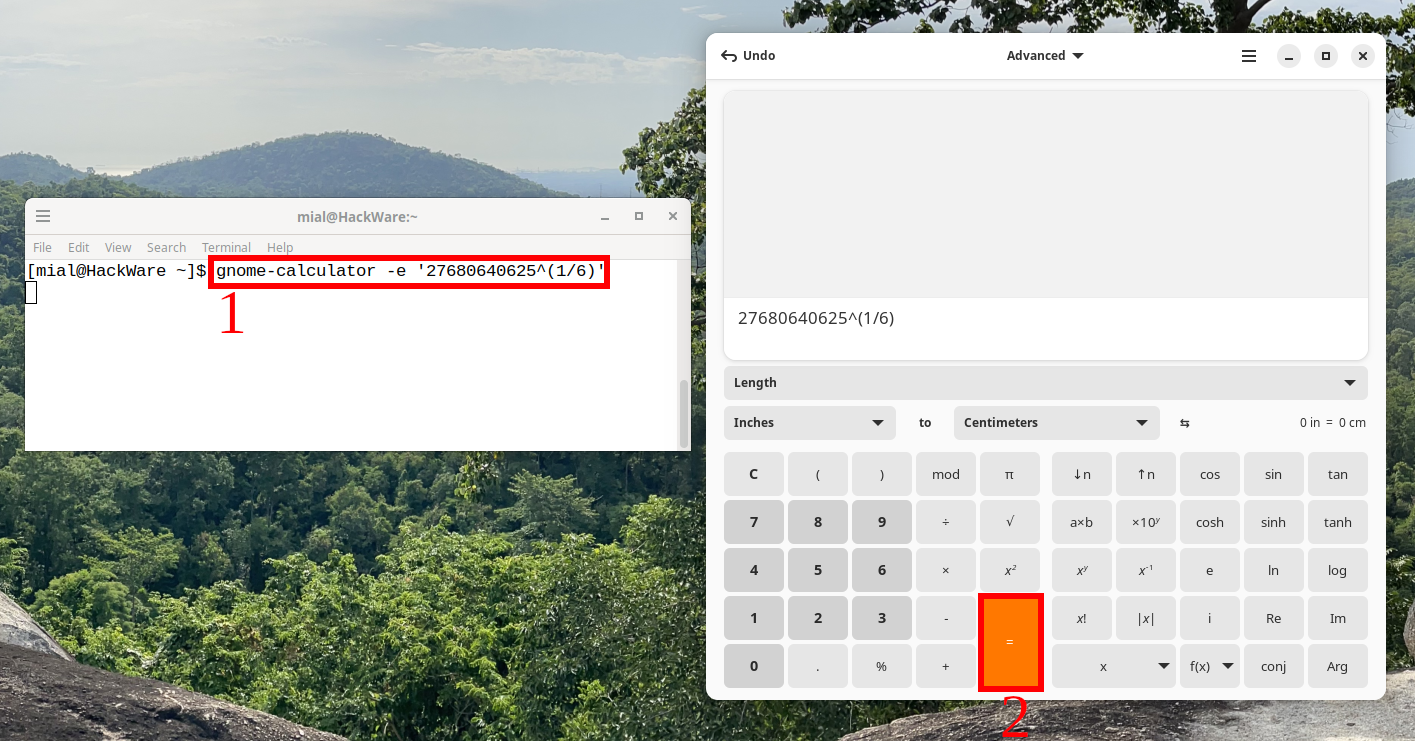
Another example is to extract the 6th root of 27680640625:
gnome-calculator -e '27680640625^(1/6)'
4.2 Extracting roots of any degree using awk
The awk utility is designed to process text and perform a variety of actions with it using a programming language.
The awk program is very powerful (there are entire books dedicated to this utility) and, in addition, it is almost always pre-installed in Linux.
To extract a root of any degree, use the following construction:
echo NUMBER | awk '{ print $1^(1/NTH_ROOT) }'
Where NUMBER is a number, and NTH_ROOT is a root degree.
For example, to find the cube root of 592704, run:
echo 592704 | awk '{ print $1^(1/3) }'

Another example is to extract the 6th root of 27680640625:
echo 27680640625 | awk '{ print $1^(1/6) }'
If you want both numbers to come at the end, you can use the following syntax:
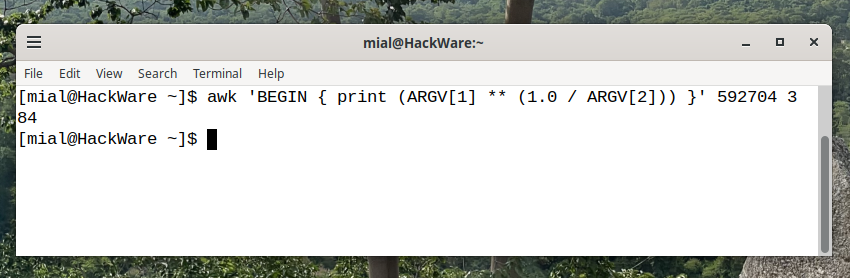
awk 'BEGIN { print (ARGV[1] ** (1.0 / ARGV[2])) }' NUMBER NTH_ROOT
For example, to find the cube root of 592704, do:
awk 'BEGIN { print (ARGV[1] ** (1.0 / ARGV[2])) }' 592704 3
4.3 Extracting roots of any degree with PHP
You can use any of the following constructs to extract a root of any degree in PHP (they differ in whether they use print or echo functions):
php -r 'print NUMBER**(1/NTH_ROOT);'

php -r 'echo NUMBER**(1/NTH_ROOT);'
Here, you need to replace NUMBER with a number, and you need to replace NTH_ROOT with the root degree.
Example:
php -r 'echo 27680640625**(1/6);'

php -r 'print 27680640625**(1/6);'
4.4 Extracting roots of any degree with Python
Python is installed by default on most Linux distributions, perhaps even more often than PHP.
To extract a cube root or root of any degree in Python, use the following syntax:
python -c 'print (NUMBER**(1/NTH_ROOT))'
Here, you need to replace NUMBER with a number, and you need to replace NTH_ROOT with the root degree.
For example:
python -c 'print (27680640625**(1/6))'

Please note that in Python the precision of these calculations is different and there is actually an error that was not present in all the previous cases – take this into account.
Related articles:
- How to convert a string to uppercase in Bash (100%)
- How to convert a string to lowercase in Bash (100%)
- How to remove newline from command output and files on Linux command line (81.4%)
- How to print from specific column to last in Linux command line (81.4%)
- awk and tabs in input and output (81.4%)
- How to block by Referer, User Agent, URL, query string, IP and their combinations in mod_rewrite (RANDOM - 50%)
