
How to add a ‘b’ prefix to a variable name in Python?
September 12, 2024
Strings with a ‘b’ prefix in Python
Consider the following example:
byte_string = b'test string'
print(byte_string)
These two strings will print:
b'test string'
Strings with a ‘b’ prefix are a sequence of bytes, i.e. a special type of data (such as strings, numbers, lists, etc.).
Suppose we want to do something like this:
variable_string = "test string"
byte_string = b'variable_string'
print(byte_string)
That is, we are trying to convert a string to bytes, but as a string we substitute a variable containing the string we need. We expect to see the same result as the first script, namely:
b'test string'
But instead we get:
b'variable_string'

That is, the variable name has become a sequence of bytes, not its contents.
The question arises:
How to add the prefix ‘b’ to a variable to convert it to a sequence of bytes?
In fact, this question arises only from a misunderstanding of such a data type as “bytes”.
The prefix ‘b’ does not convert the string to bytes. It only points to a string of bytes
In fact, the prefix ‘b’ does not change or convert the string in any way. The prefix ‘b’ can only be specified for a string with a sequence of bytes.
That is, after the ‘b’ prefix, Python expects to see something like this:
b'\xd0\xbf\xd1\x80\xd0\xb8\xd0\xb2\xd0\xb5\xd1\x82'
You can verify this very easily if you try to specify something like this with the "b" prefix:
print(b'\привет')
You will immediately get an error:
  File "/home/mial/test/p/t39.py", line 3
    print(b'\привет')
          ^^^^^^^^^^
SyntaxError: bytes can only contain ASCII literal characters

But there is a concession (an exception). In Python, bytes that correspond to ASCII characters are displayed as those characters, and not as the corresponding bytes. This can be a bit confusing, but you can always recognize the bytes type by the b.
So, thanks to this exception for ASCII characters, instead of writing
print(b'\x74\x65\x73\x74\x20\x73\x74\x72\x69\x6E\x67')
We can write the following:
print(b'test string')
These strings are absolutely identical (in terms of the result they produce) and their output will be the same:
b'test string'
b'test string'
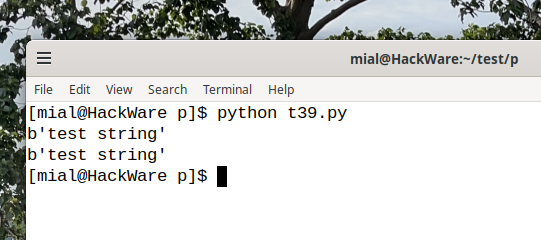
So, the ‘b’ prefix does NOT convert strings. The ‘b’ prefix indicates bytes. But for some characters, an exception is made and instead of writing them as bytes \xXX they can be written as an ASCII string.
For this reason, it is not possible to use the ‘b’ prefix with variable names. The ‘b’ prefix can only be followed by a sequence of bytes (which for ASCII characters can be written as ASCII characters themselves).
How to properly convert a variable to bytes
To convert a variable containing a string to bytes, you can use either the bytes() function or the .encode() string method.
An example of using the bytes() function:
variable_string = "test string"
byte_string = bytes(variable_string, encoding='utf-8')
print(byte_string)

An example of using the .encode() method:
variable_string = "test string"
byte_string = variable_string.encode('utf-8')
print(byte_string)
Those who still don't understand what is being said here may ask, how do I know what encoding is being used? After all, in the b'STRING' format, no encoding had to be specified, that is, when using the ‘b’ prefix, you can do without encoding, but with the bytes() function, you need to know the encoding.
Let us repeat once again, a string with the ‘b’ prefix must be a sequence of bytes, for which the concept of encoding is not applicable (unless, of course, you are going to convert bytes to a string). That is why the encoding is not mentioned there.
As for the encoding of the string that you want to convert to bytes, if the string is written to the source code of the script (hard-coded), then its encoding is the same as the script file. If the string comes from the user or from external sources (for example, data obtained by parsing a website), then you need to determine the encoding yourself. Currently, in most cases, this will be utf-8. But there may be unexpected exceptions, especially in CMD in Windows.
Conclusion
- So, a string with a ‘b’ prefix is not converted to bytes – there must already be a sequence of bytes.
- ASCII characters can be specified with a ‘b’ prefix as literal characters – this is just an exception to be aware of.
- To convert a string to bytes, you need to use the bytes() function or the .encode() method.
Related articles:
- How to run a program from Python: how to run a system command or another Python script (complete guide) (65.4%)
- How to clear a List in Python. Why clearing a List deletes copies of it in other variables (64.3%)
- Error “remote: Support for password authentication was removed on August 13, 2021. Please use a personal access token instead” (SOLVED) (58.1%)
- How to show all errors in PHP 8 (58.1%)
- How to run small Python code in Bash (57.3%)
- GUI software for working with AI Chatbots (RANDOM - 50%)
